
Personal Project · 2026 · v1.0
Present Po!
Your class record, in your pocket.
A simple class record app for Filipino teachers. Keep every section in one place: type quiz scores and swipe to the next quiz, take attendance with one tap, or call a name and scan the student’s QR code. Sort boys first or girls first the DepEd way, then export to Excel, Google Sheets or a printable PDF class record. Share a class with a co-teacher, and keep everything backed up to your own iCloud or Google Drive. No account, no ads and no subscription — just ₱99 once — and it works offline.

Quizzes, attendance and the class record, all in one
Made for Filipino teachers, sorted the DepEd way.
-
Quiz scores in seconds
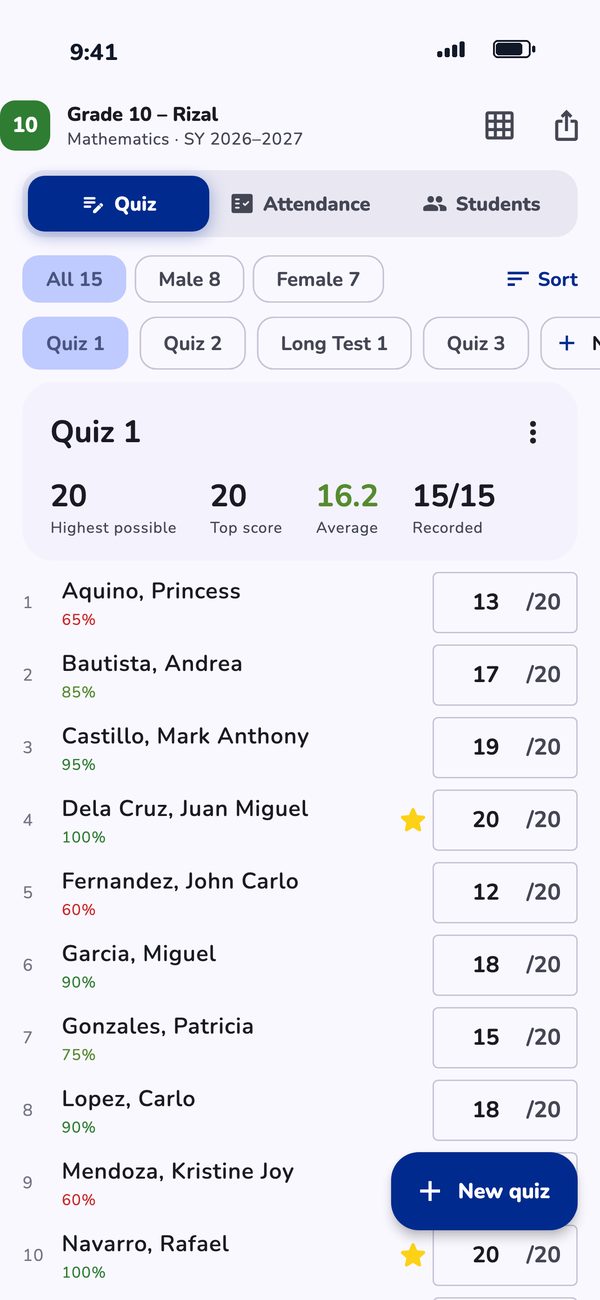
Create Quiz 1, set the highest possible score, and type each score. Swipe between quizzes and see the top score and class average. Perfect scores get a star, and confetti when every score is in.
-
Attendance with one tap
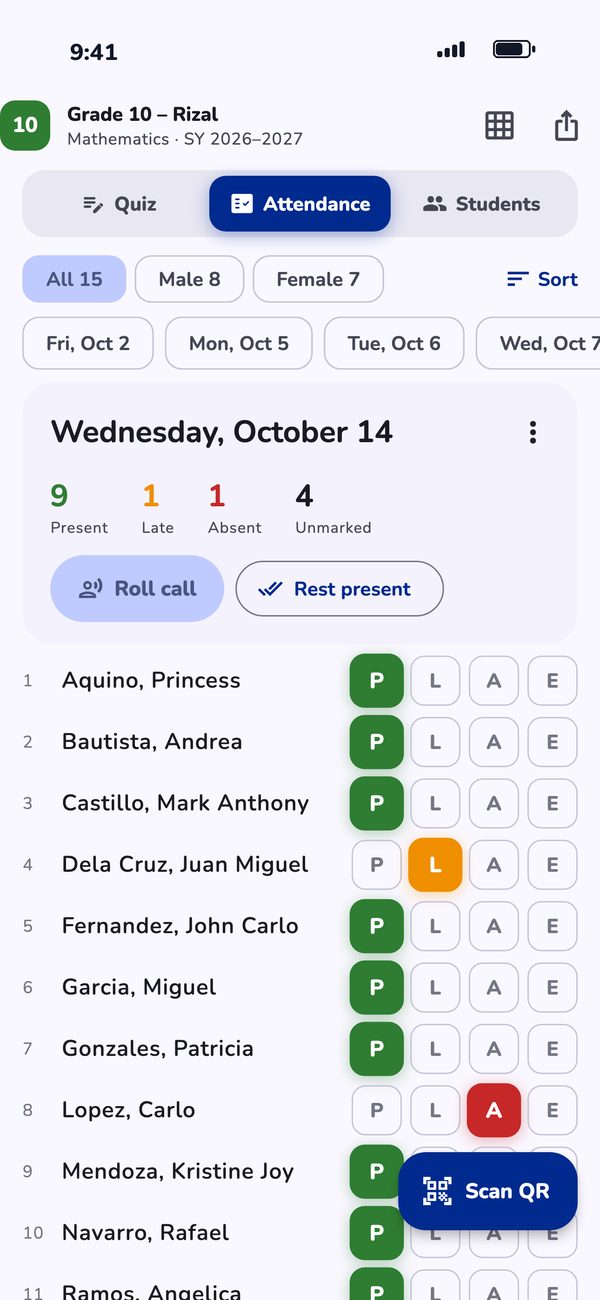
One page per day, swipe between days. Mark each student Present, Late, Absent or Excused.
-
QR code attendance
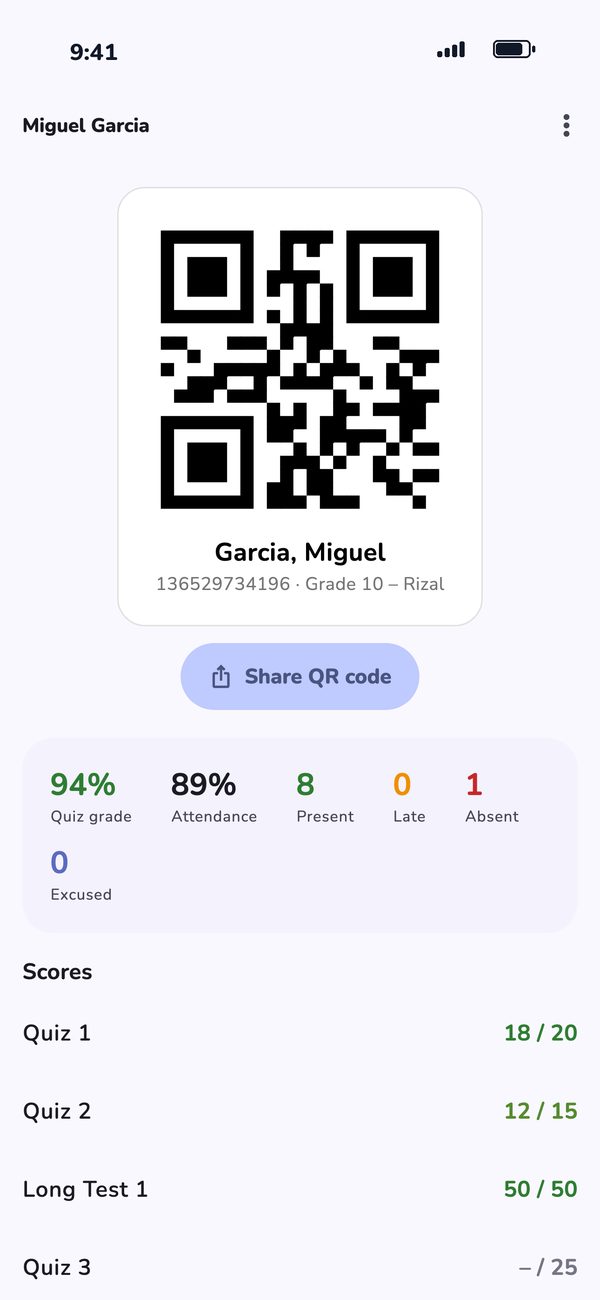
Every student gets a QR code. Call a name, scan the code, and they’re marked present or late. Print the whole class as one PDF sheet.
-
Swipe roll call
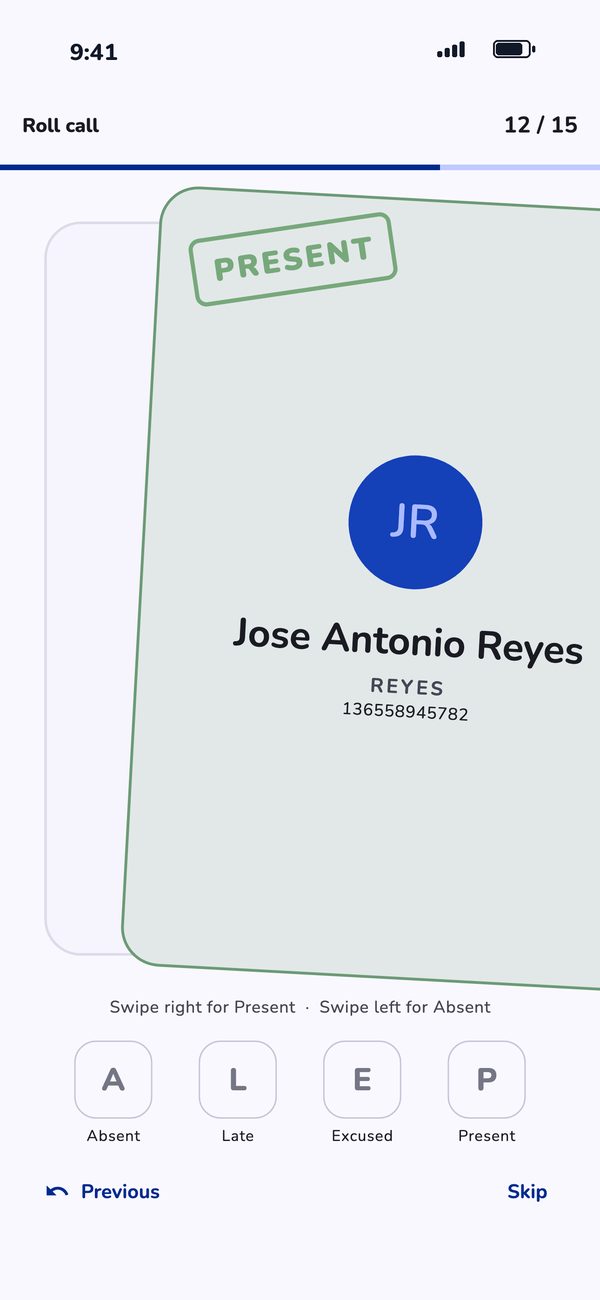
One student at a time: swipe right for present, left for absent.
-
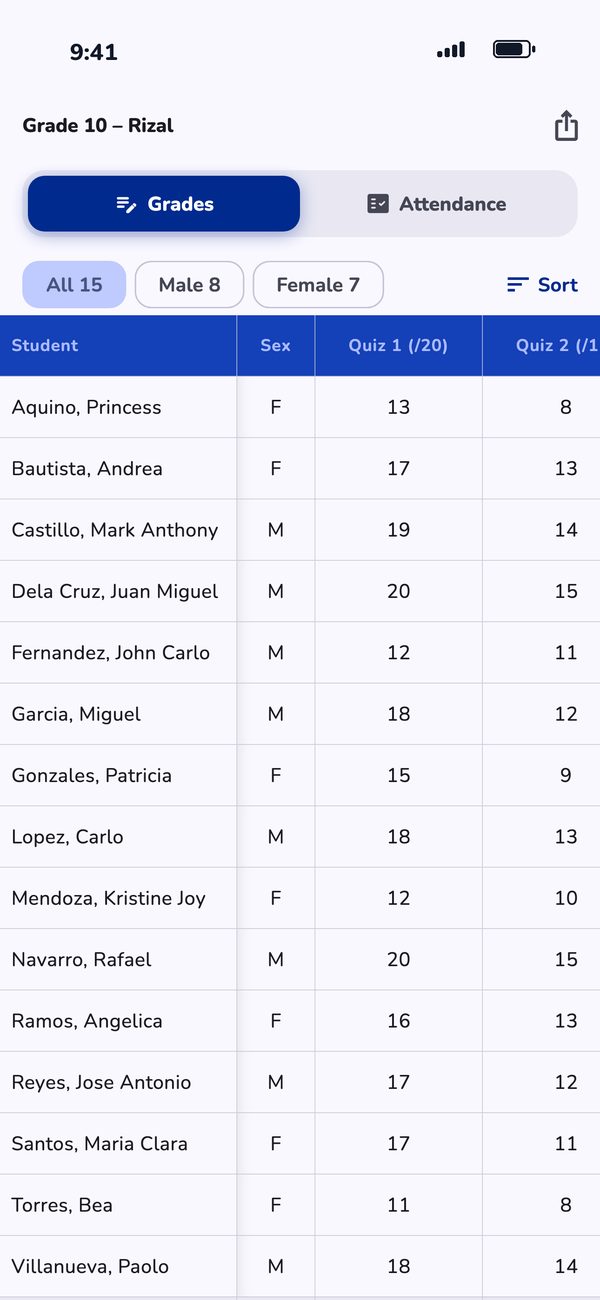
Excel & PDF class records
See the whole record in a table, then export it to Excel or Google Sheets (CSV) or a printable PDF class record.
-
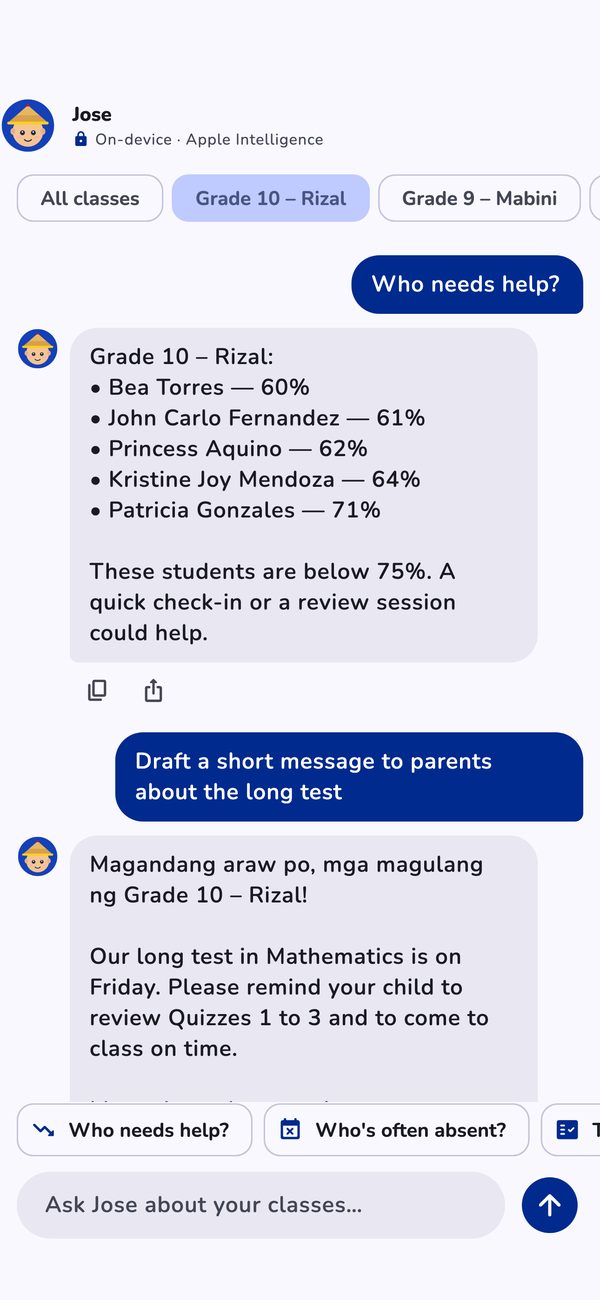
Meet Jose, your class assistant
Ask Jose who needs help, who’s often absent, or how the latest quiz went, and get instant answers from your own class record. On iPhones with Apple Intelligence and Android phones with Gemini Nano, Jose also chats and drafts messages to parents, privately on your phone. On iPhone, just say “Attendance today in Present Po!” to Siri.
-
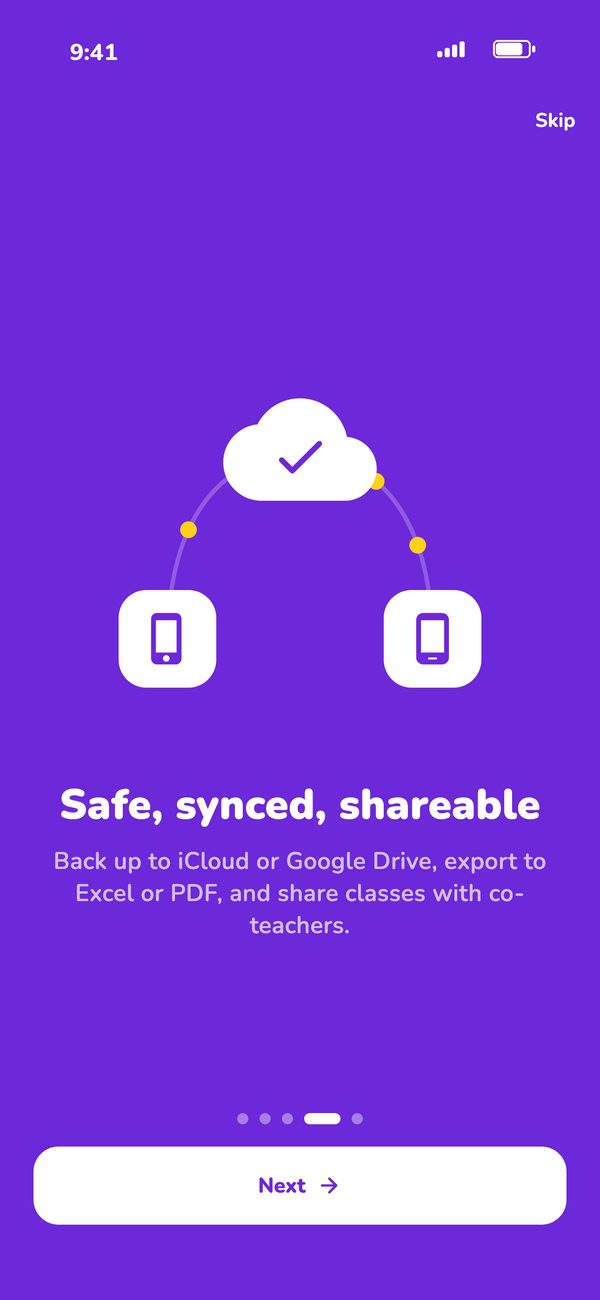
Backed up and shareable
Sync and automatic backups with iCloud or Google Drive, and share a class with a co-teacher who uses the same QR codes.
A class record app made for Filipino teachers
Magandang umaga, Teacher! Less time on paperwork, more time teaching.
Make a class for each grade, section and school year — Grade 10 – Rizal, SY 2026–2027 — and add your students with their LRN or student number. Already have a class list? Import it from a CSV or Excel file.
Sort your list by name, boys first or girls first the way DepEd forms do, by student number, by score or by attendance, and filter to just the boys or the girls. Your exports follow the same order, so the Excel file and PDF class record are ready to hand in.
Teaching the same section with someone else? Share the class with a co-teacher — students only, or the full record with scores and attendance. They import it, and the QR codes you already printed work on their phone too.
Everything works offline, in the classroom or at home. Turn on iCloud (iPhone) or Google Drive (iPhone and Android) to sync between devices and keep automatic backups; the newest seven are kept, and you can restore any of them.
Frequently Asked Questions
How much does Present Po! cost?
₱99, once, on the App Store. There are no subscriptions, no ads and no in-app purchases.
Is it on Android?
Yes. Present Po! is made for both iPhone and Android, for Google Play. Google Drive sync and backups work on both; iCloud sync is iPhone only.
Where is my class record stored?
On your phone. There’s no account, no server and no analytics. If you turn on iCloud or Google Drive, a copy is kept in your own iCloud Drive or in a private, app-only folder in your own Google Drive.
How does QR attendance work?
Every student gets their own QR code. Print the whole class on one PDF sheet, then during attendance call a name and scan the code — the student is marked present, or late. Scanning happens on your phone and no photos are saved.
Can I export my class record to Excel?
Yes. Export a class to Excel or Google Sheets as CSV (grades and attendance as two spreadsheets), or as a printable PDF class record. Exports use the sort order you chose, including boys first or girls first.
Who is Jose?
Jose is the built-in class assistant. Quick answers (who needs help, who’s often absent, today’s attendance, top students, latest quiz) work on every phone. Chatting and writing help use your phone’s own on-device AI: Apple Intelligence on supported iPhones, or Gemini Nano on supported Android phones. Your class data never leaves your phone.
Does it work without internet?
Yes. Everything works offline. Sync and backups catch up the next time you’re online.